

Commercial Real Estate
Multifamily Drone Photography: Show How the Community Fits Together
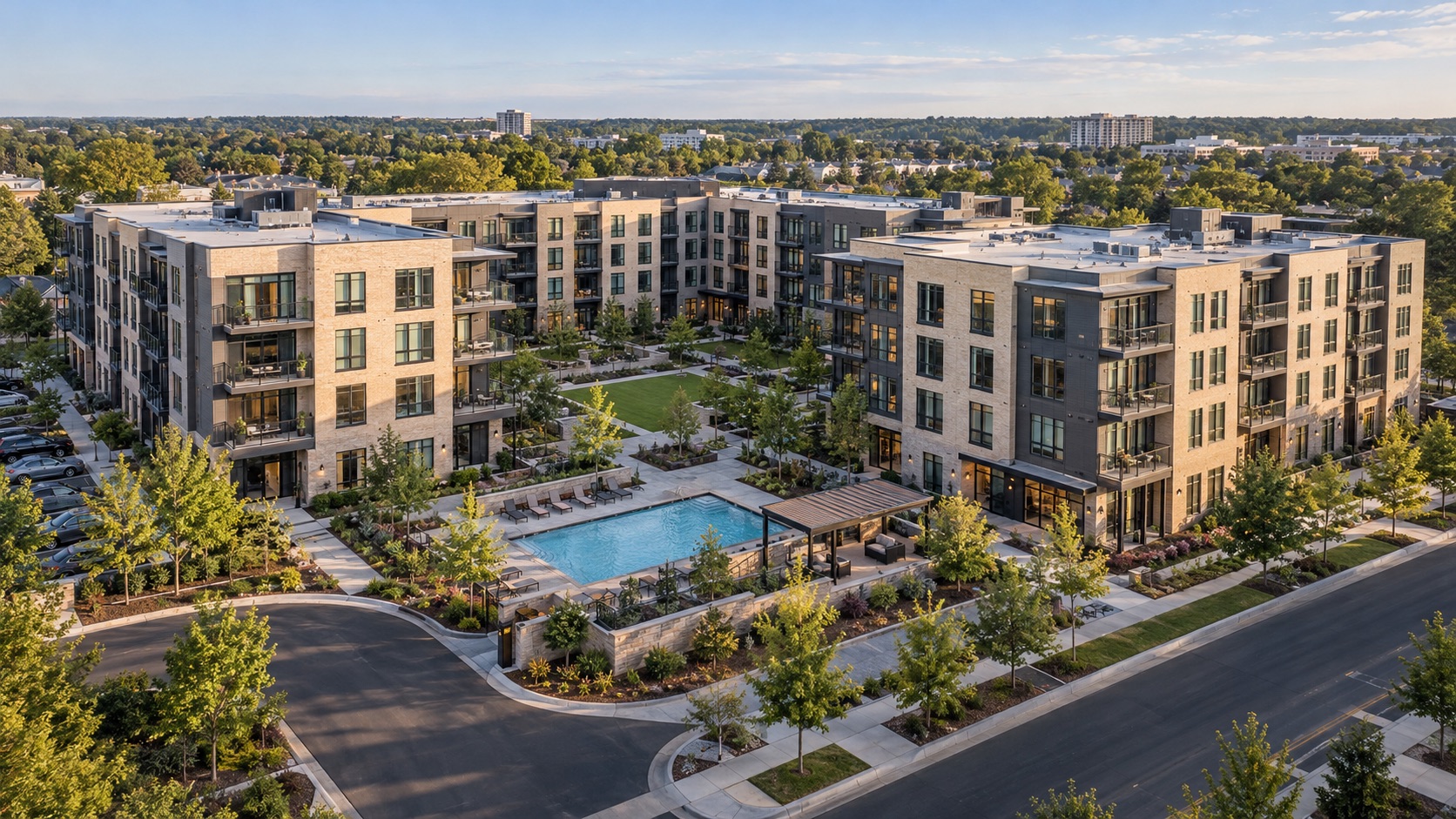
The apartment community has a courtyard, a clubhouse, and an outdoor dining area. The listing has a beautiful photograph of each. Yet a prospective resident cannot tell whether those spaces sit together, behind another building, or across the property. The amenities are visible; the community remains difficult to picture.
Multifamily drone photography can close that gap when the imagery explains relationships. A contextual aerial establishes where a shared space sits. A closer photograph shows what is there. Together, they give leasing and marketing teams a more coherent way to introduce the property than a gallery of disconnected highlights.
Put each shared space in its setting
Start with the community’s actual arrangement. Identify the apartment buildings, common spaces, and visible connections that the presentation needs to explain. Ask the property team which features belong to the community and how they should be described. Do not assume that a nearby lawn, pool, or trail is part of the offering.
The opening aerial should keep the property recognizable while showing enough context to orient the reader. It does not need to fit every building and amenity into one photograph. On a large site, a single distant image can make the features that matter too small to understand.
Instead, establish the overall layout, then concentrate on a few useful relationships. A courtyard framed by apartment wings tells one story. A clubhouse beside a shared green tells another. Select those relationships before choosing the most dramatic angle.
For a portfolio campaign, standardize the questions rather than forcing every community into the same composition. One property may organize shared spaces around a courtyard; another may distribute them among several buildings. A consistent explanation can accommodate both, while identical framing may hide what makes each layout understandable.
Build a pair around one question
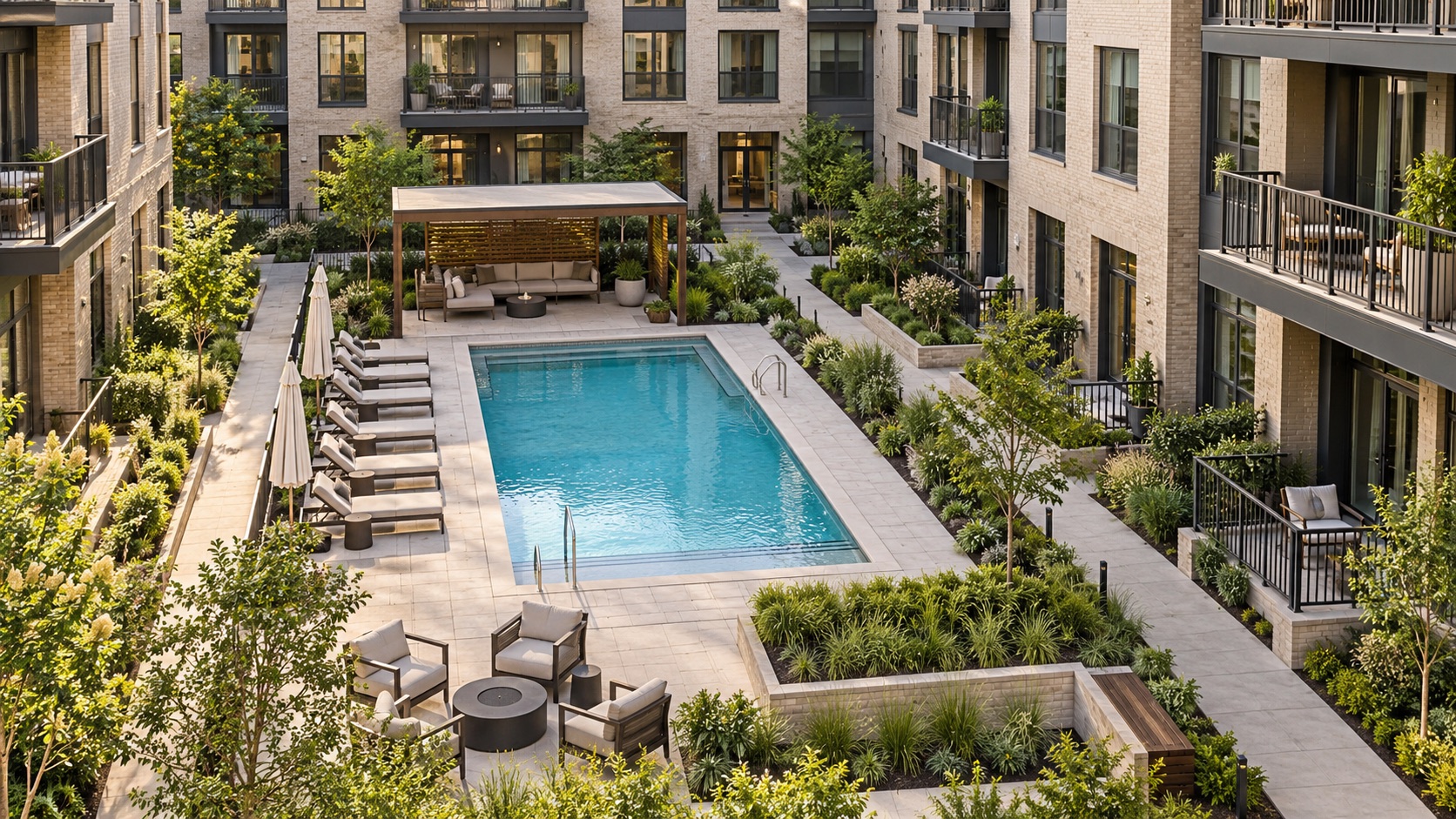
Imagine a hypothetical community where two apartment buildings face a landscaped courtyard. The marketing question is simple: how does this shared space relate to the homes around it? Give the answer two complementary views, with a specific job for each.
The context photograph: Show the courtyard within the building arrangement, retaining recognizable corners and entrances. The reader should understand its position without needing to reconstruct the site from separate images.
The detail photograph: Show the courtyard at a scale where its seating, planting, and gathering areas can be understood. Include a recognizable feature that connects this closer view to the wider photograph.
The detail may be a closer aerial or separately scoped ground photography. Choose the perspective that explains the space. A low view can describe the seating arrangement, while the broader aerial explains which buildings surround it. Neither photograph needs to perform both tasks.
When a detail includes only part of a larger amenity, make that clear in the caption. A tight photograph of a dining terrace should not imply that it shows the entire shared outdoor area. The wider companion provides that context, if readers recognize the place.
Use the same pairing principle for an outdoor kitchen, garden, or other shared feature. Avoid repeating nearly identical wide views just because the lighting is attractive. Each selected image should add information that its partner cannot comfortably show.
Keep the connections visible
Between the apartment entrance and the shared space, there may be a walkway, planted edge, courtyard gate, or intervening building. These connections help readers understand the layout. Keep enough of them in the frame to prevent an amenity from appearing detached from its surroundings.
Watch what trees, roofs, and shadows conceal. A path that disappears beneath a canopy may be perfectly clear on site but difficult to read in an aerial. Another angle or a complementary ground image may explain the relationship more effectively than moving higher.
Describe visible features precisely. “Walkway beside the central courtyard” is more useful than an unsupported claim about convenience. Confirm current access arrangements with the property team before describing how residents use a space. Do not infer walking times or unrestricted access from a photograph.
Give the pair a clear place on the page
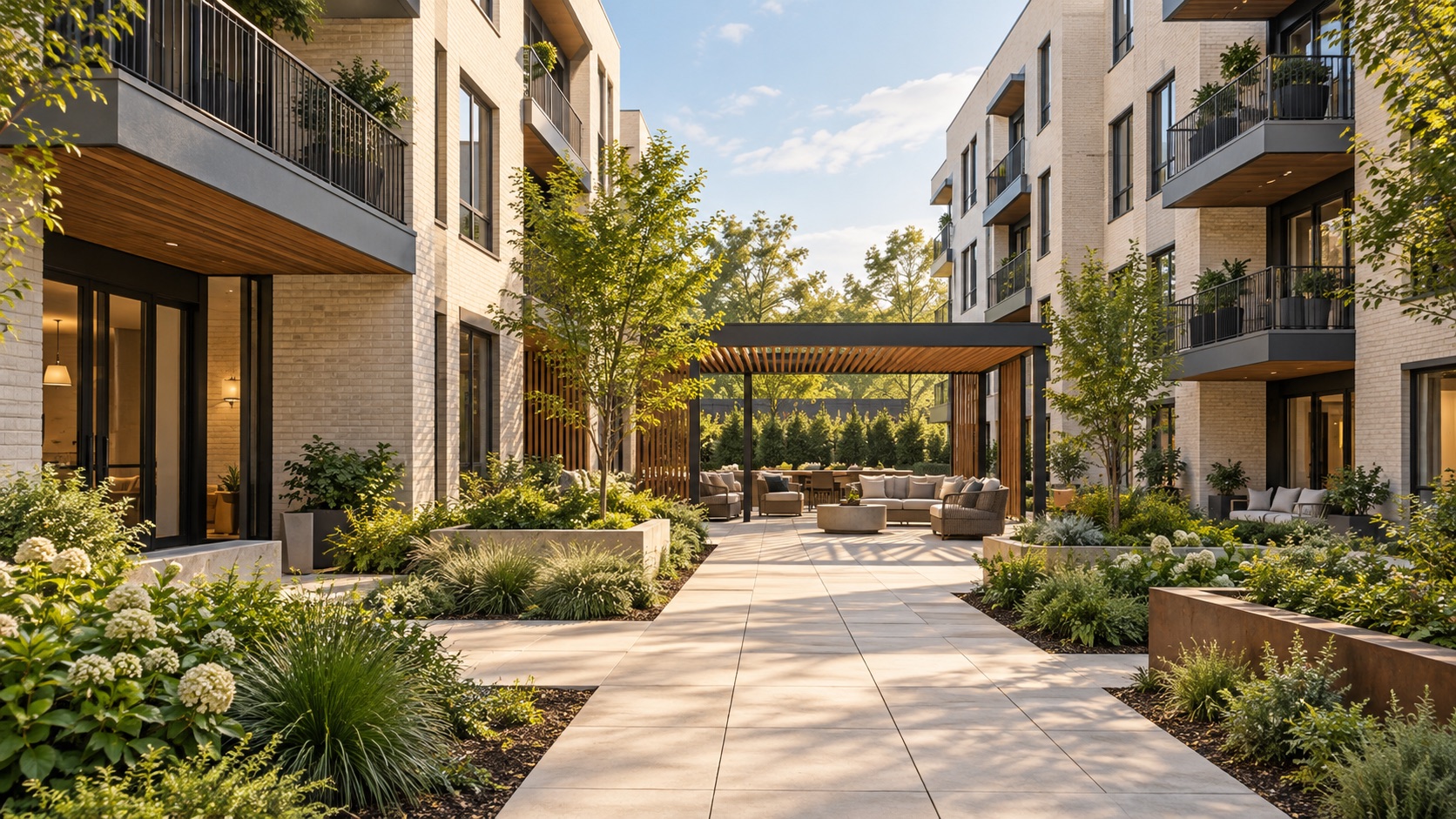
Present the contextual photograph before its detail, or place them together where the layout allows. Keep the shared subject recognizable after cropping. If the wider image loses the courtyard at mobile width, the relationship may disappear even though both photographs still look attractive.
Write captions that explain the contribution of each view. A broad image might establish “Central courtyard between the eastern apartment wings.” Its partner might identify “Seating and planting within the central courtyard.” Use verified names consistently so the reader can connect the images without guessing.
Make image descriptions useful as well. W3C’s guidance on informative images recommends text alternatives that convey their meaning in context. For an aerial, describe the relevant relationship rather than listing generic keywords: “Two apartment buildings frame a landscaped courtyard with paths leading toward the entrances.”
Treat each pair as an editorial unit when adapting the campaign. A brochure may place the images together; a listing gallery may show them consecutively. Give the designer the intended relationship so it survives a change in format.
Brief the team on what must be understood
A useful capture brief connects the physical subject to the marketing purpose. Include a current property plan or annotated reference if available, using information the property team has checked. Keep the priorities concise enough that the capture team can distinguish essential relationships from optional views.
- Identify the subject. Name the buildings and shared spaces to feature, with current labels and a site contact who can resolve questions.
- Explain the relationship. State what the reader should understand, such as how the courtyard sits between two apartment wings.
- Confirm presentation readiness. Check temporary closures, maintenance activity, furniture placement, and other conditions that could affect the intended story.
- Specify the pair. Request an orienting view and a complementary detail, then ask the provider to recommend feasible perspectives and confirm the scope.
If ground or interior images are needed, discuss them explicitly. Up Sonder’s project and package options distinguish aerial work from additional custom requests. A broader visual story should begin with an agreed assignment, including any photographs that require a different approach.
Review the story before the gallery
Review the selection with someone who has not visited the community. Can they identify the shared space in both photographs? Can they describe its relationship to the surrounding buildings? Their uncertainty may reveal a missing contextual view or an unhelpful crop.
Review the page at the size readers will use. Open the mobile gallery, advance through the sequence, and check whether the second image still feels connected to the first. A pairing that works on a large design monitor may need a simpler crop or clearer caption on a phone.
Then have the property team check labels and descriptions against current conditions. Remove outdated photographs that conflict with the new presentation. Preserve the clean originals so future layouts can be adjusted without starting from a heavily cropped or labeled version.
Bring Up Sonder the property address, priority shared spaces, and the relationships your campaign needs to explain. Share your project details to discuss an appropriate aerial scope. A thoughtful image pair helps readers see more than an isolated amenity: it shows how that space belongs within the community.